How the shape reads
Green supports fast recovery and the thin arms leave the target exposed. The two-unit length makes the shape easier to locate than a one-unit cross.
This is a community catalog label and modeled reference, not a verified official or current setting from ropz. Copy the native code below only as a starting point, then test and tune it for your own display.
Copy the complete native value below, then paste it into the in-game import control.
CSGO-nCfX7-54ue9-aC5eV-6Womf-Q6izOThe saved profile uses two-unit green arms, 0.5 thickness, and a moderate negative gap. It creates an airy static cross with more orientation than the smallest profiles but little visual weight.
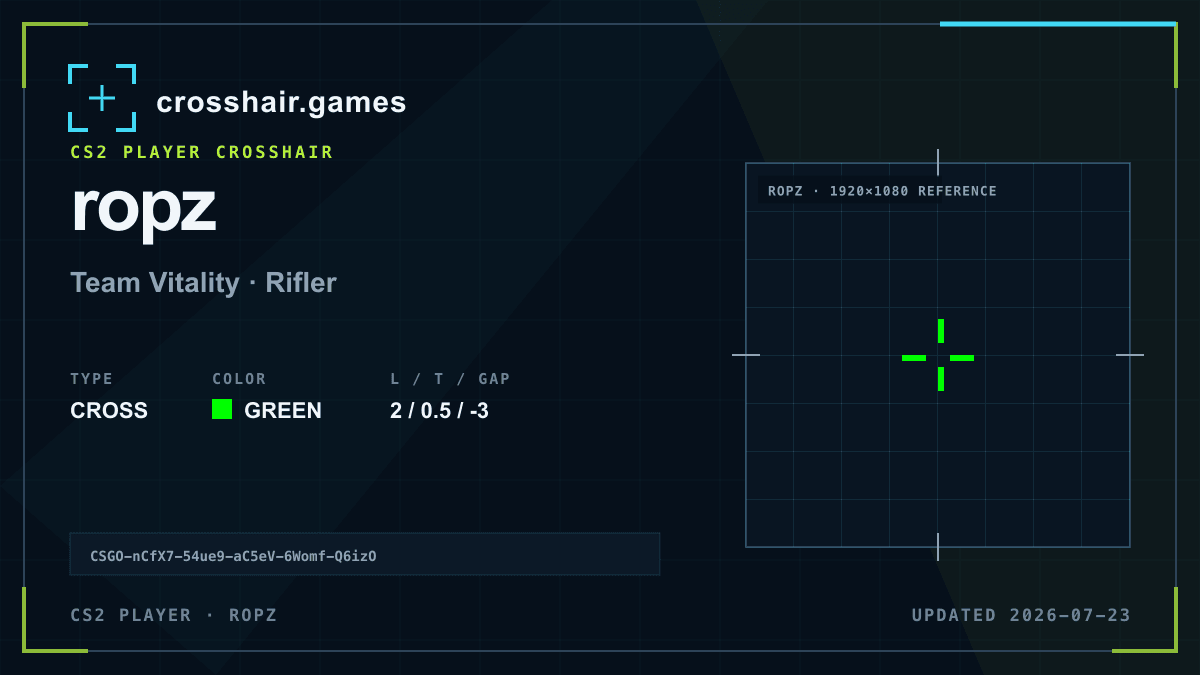
Green supports fast recovery and the thin arms leave the target exposed. The two-unit length makes the shape easier to locate than a one-unit cross.
A balanced reference for players who want a readable green cross without a dot, outline, or dense center.
Thin lines can lose definition on some resolutions, and green is not equally distinct on every map surface.
Try a slight thickness increase only after testing another green shade; changing color may solve visibility without adding target coverage.
The code is copied locally in your browser. No account or upload is involved.
Open CS2 and go to Settings → Game → Crosshair.
Choose Share or Import in the crosshair preview area.
Paste the copied CSGO- import code and confirm.
Test the crosshair in a practice map before entering a match.
Compare another cross profile before choosing your final setup.