How the shape reads
White is clean on dark and saturated scenes, but the lack of outline gives it less protection on pale walls. Its four arms provide more recovery guidance than a dot at the same visual weight.
This is a community catalog label and modeled reference, not a verified official or current setting from ZywOo. Copy the native code below only as a starting point, then test and tune it for your own display.
Copy the complete native value below, then paste it into the in-game import control.
CSGO-KDOkV-jUpoE-GdhAh-YzbZL-MYXTBThis saved profile uses short white arms, light 0.5 thickness, and a compact negative gap. The result is an open, low-coverage shape that keeps the target visible while still framing the exact center.
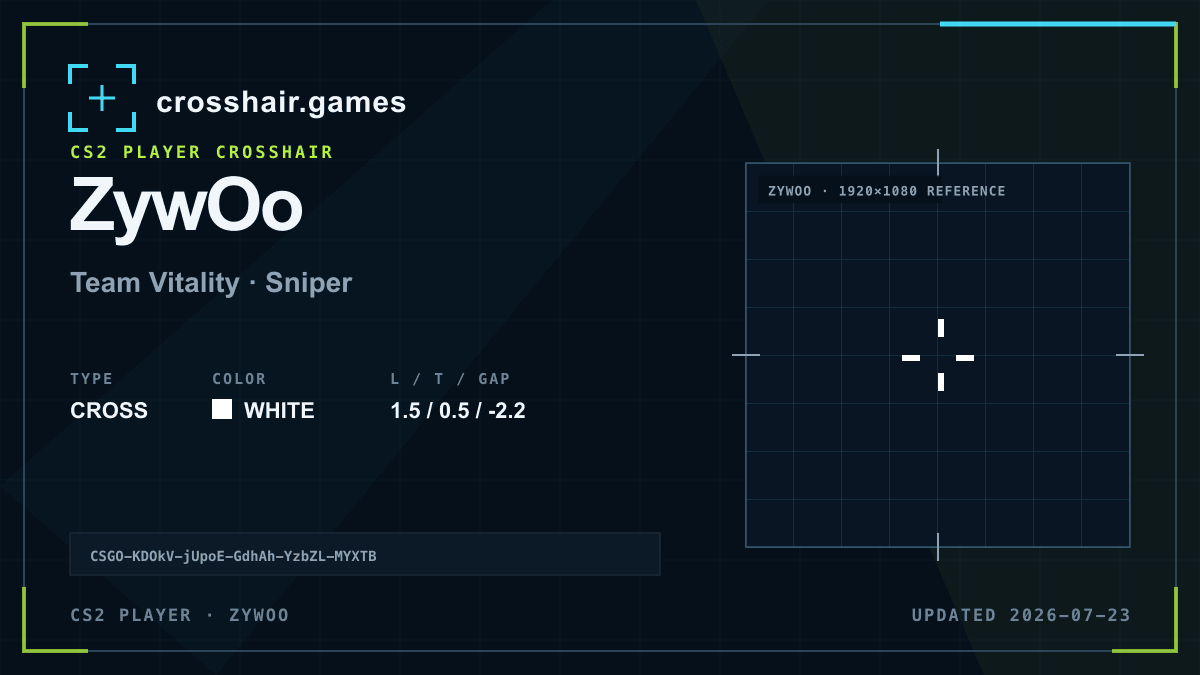
White is clean on dark and saturated scenes, but the lack of outline gives it less protection on pale walls. Its four arms provide more recovery guidance than a dot at the same visual weight.
A practical fit for players who want a small static cross without turning the center into a single solid mark.
Thin white lines can fade on bright surfaces or dense displays. The profile depends on natural contrast rather than a border.
If it disappears, test a brighter custom color or enable the thinnest useful outline before increasing the 1.5 line length.
The code is copied locally in your browser. No account or upload is involved.
Open CS2 and go to Settings → Game → Crosshair.
Choose Share or Import in the crosshair preview area.
Paste the copied CSGO- import code and confirm.
Test the crosshair in a practice map before entering a match.
Compare another cross profile before choosing your final setup.