How the shape reads
Solid short arms make the center easy to identify without extending far into the target area.
This is a community catalog label and modeled reference, not a verified official or current setting from something. Copy the native code below only as a starting point, then test and tune it for your own display.
Copy the complete native value below, then paste it into the in-game import control.
0;s;1;P;h;0;0l;2;0o;1;0a;1;0f;0;1b;0;S;c;0;s;0.713;o;1This white Primary shape uses two-unit length and thickness with a one-unit offset, no outline, and no center dot. It is a compact, symmetrical four-line cross.
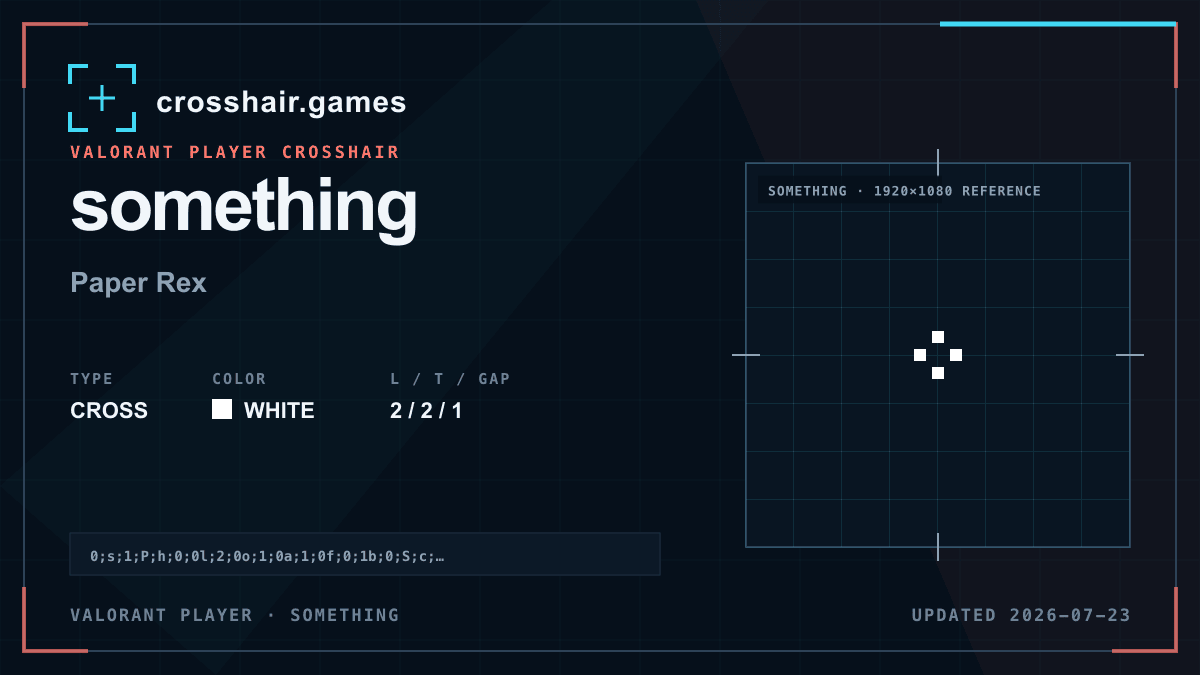
Solid short arms make the center easy to identify without extending far into the target area.
A clean baseline for players comparing compact white crosses without an outline or secondary dot.
White has limited separation on pale walls and bright effects, and the two-unit line weight can look dense on some displays.
Compare a cyan version with identical geometry before adding outline; color alone may recover enough contrast.
The code is copied locally in your browser. No account or upload is involved.
Open VALORANT and go to Settings → Crosshair.
Select Import Profile Code beside the crosshair profile list.
Paste the copied code and choose Import.
Try the crosshair in the Practice Range before using it in a match.
Compare another cross profile before choosing your final setup.