How the shape reads
Bright green carries most of the contrast, while the lighter line weight leaves more target detail visible than a one-unit-thick alternative.
This is a community catalog label and modeled reference, not a verified official or current setting from sh1ro. Copy the native code below only as a starting point, then test and tune it for your own display.
Copy the complete native value below, then paste it into the in-game import control.
CSGO-bk5KR-52jw7-tKRaw-7kzdw-hOxoOThe saved settings pair 1.5-length green arms with 0.6 thickness and a moderate negative gap. It sits between a hairline cross and a dense compact block.
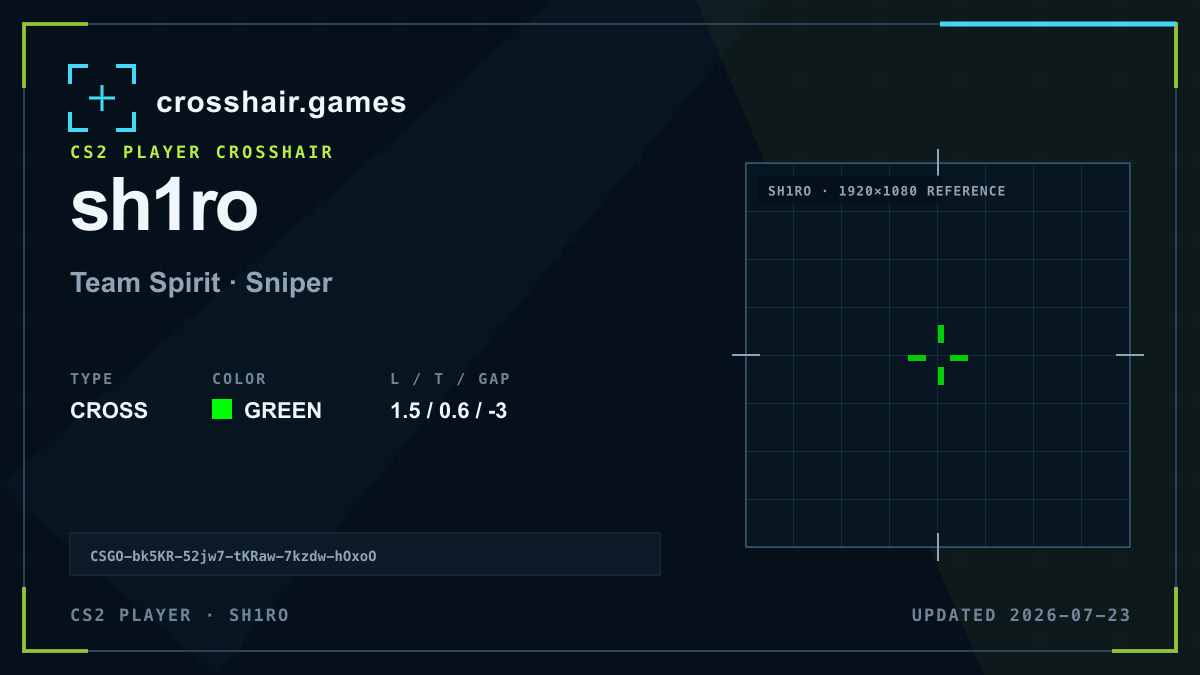
Bright green carries most of the contrast, while the lighter line weight leaves more target detail visible than a one-unit-thick alternative.
Well suited to players comparing compact CS2 crosses that retain a noticeable open center without long arms.
Sub-one thickness can look faint after resolution changes, and the profile has no outline as a fallback.
Keep the geometry first and test either a small thickness increase or a nearby high-contrast green if visibility is inconsistent.
The code is copied locally in your browser. No account or upload is involved.
Open CS2 and go to Settings → Game → Crosshair.
Choose Share or Import in the crosshair preview area.
Paste the copied CSGO- import code and confirm.
Test the crosshair in a practice map before entering a match.
Compare another cross profile before choosing your final setup.