How the shape reads
Bright green provides the primary recovery cue because the arm geometry itself is deliberately understated.
This is a community catalog label and modeled reference, not a verified official or current setting from Twistzz. Copy the native code below only as a starting point, then test and tune it for your own display.
Copy the complete native value below, then paste it into the in-game import control.
CSGO-Q3Syz-WOaGL-9WTqW-9N3iJ-e64RGThis saved profile is modeled with one-unit green arms, an extremely light line weight, and a deep negative gap. It aims for minimal visual interruption around screen center.
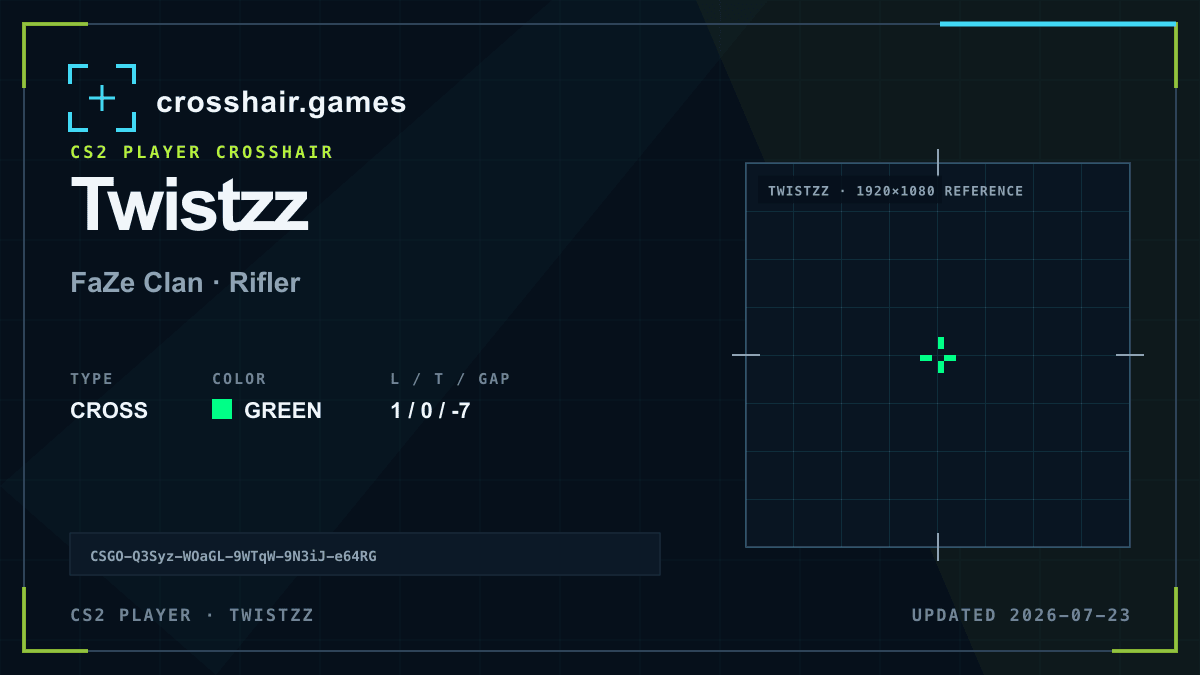
Bright green provides the primary recovery cue because the arm geometry itself is deliberately understated.
Best treated as a reference for players exploring very light compact crosses on a display where thin rasterized lines remain distinct.
The low modeled thickness is sensitive to resolution and can become difficult to see during movement or on complex surfaces.
Increase thickness by the smallest available step or add a subtle outline if the shape breaks up; avoid lengthening every arm at once.
The code is copied locally in your browser. No account or upload is involved.
Open CS2 and go to Settings → Game → Crosshair.
Choose Share or Import in the crosshair preview area.
Paste the copied CSGO- import code and confirm.
Test the crosshair in a practice map before entering a match.
Compare another cross profile before choosing your final setup.