How the shape reads
The larger geometry is easy to recover, and the outline prevents thin white lines from disappearing on pale surfaces.
This is a community catalog label and modeled reference, not a verified official or current setting from Derke. Copy the native code below only as a starting point, then test and tune it for your own display.
Copy the complete native value below, then paste it into the in-game import control.
0;P;o;1;0t;1;0l;4;0o;2;0a;1;0f;0;1t;0;1l;1;1o;0;1a;1;1m;0;1f;0This modeled setup uses white four-unit lines, one-unit thickness, a two-unit offset, and outline enabled. Long light arms frame an open center while the border adds separation.
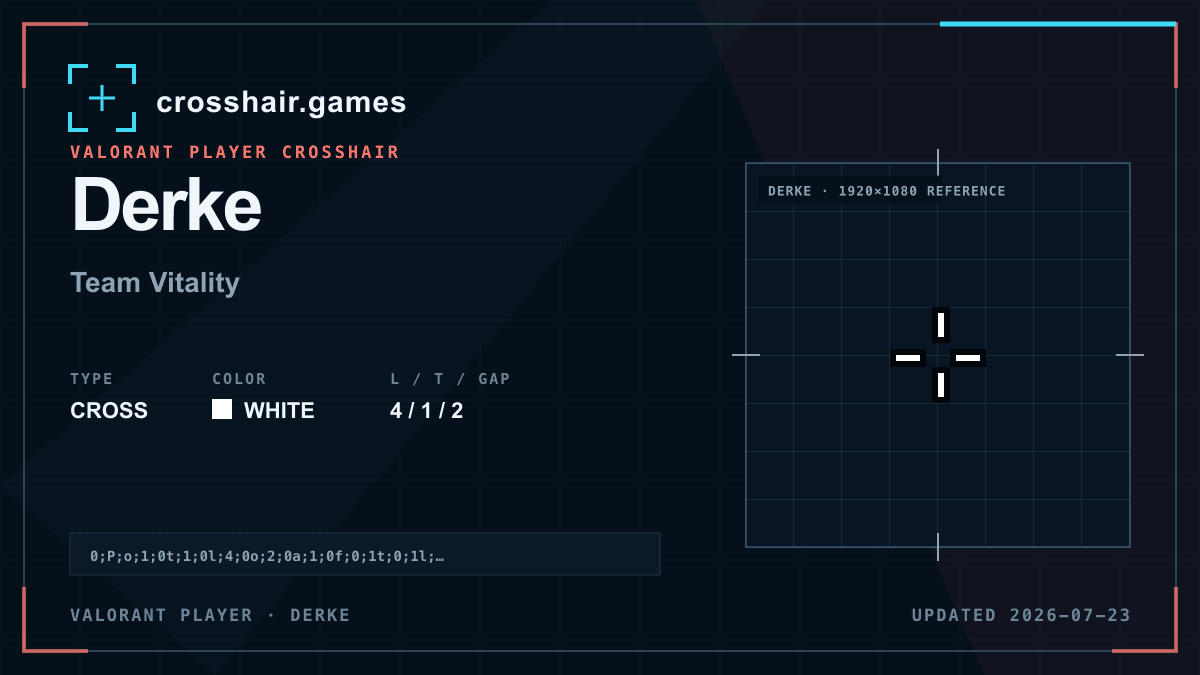
The larger geometry is easy to recover, and the outline prevents thin white lines from disappearing on pale surfaces.
A strong orientation-focused profile for players who prefer a visible open cross over a tiny central mark.
Four-unit arms occupy more of the center view, and outline adds apparent weight even to the one-unit base lines.
Shorten the arms in one-unit steps if the profile feels distracting; preserve the offset so target visibility stays open.
The code is copied locally in your browser. No account or upload is involved.
Open VALORANT and go to Settings → Crosshair.
Select Import Profile Code beside the crosshair profile list.
Paste the copied code and choose Import.
Try the crosshair in the Practice Range before using it in a match.
Compare another cross profile before choosing your final setup.